A few months ago, I tested Apple’s MacBook Neo, and it got me excited about the new wave of entry-level laptops. To be clear, by entry-level, I mean a premium-designed notebook that makes a few compromises but still delivers respectable performance for average users.
These notebooks don’t come cheap enough to qualify as budget laptops. Instead, given the RAM crisis we are facing, where laptop prices have gone through the roof, I would describe them as premium-feel devices at an accessible price point.
Joining the fray is the new Dell XPS 13, a Windows laptop that aims to be an alternative to the MacBook Neo. It costs the same as the Neo, and while it’s no powerhouse, it delivers solid performance for everyday use.
Here’s my review of the Dell XPS 13, my daily driver for the past few days.
What: Dell XPS 13| Price: Rs 79,990 onwards
Looks that make anyone jealous
I have always felt that Windows laptops have lost their mojo compared to Apple’s MacBooks when it comes to design and premium build quality. This was especially true in the entry-to-mid-range segment. You would rarely find a Windows alternative that came close to a MacBook, and it often felt like brands had no intention of competing.
But something changed (and for the better) when Apple dipped its toes into the budget segment with the MacBook Neo earlier this year. Suddenly, brands started launching alternatives to the Neo. I wasn’t expecting Dell to take on Apple, but here we are with what I consider one of the finest alternatives to the MacBook Neo in the form of the XPS 13.
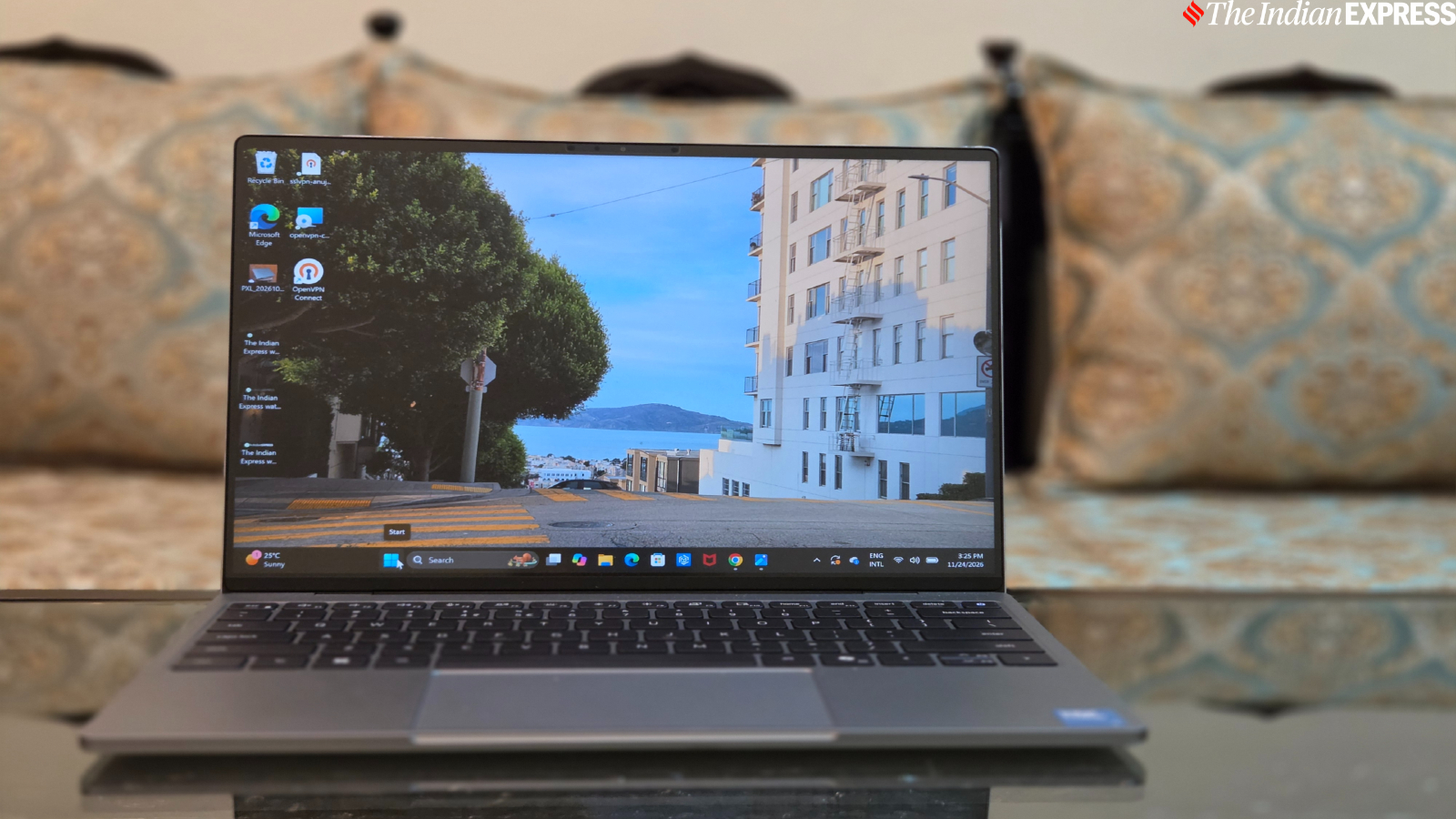 The XPS 13 offers an Intel’s Wildcat Lake processor. (Image credit: Anuj Bhatia/Indian Express)
Dell’s XPS lineup has always been known for its high-end, lightweight notebooks aimed at high-flying executives. Now, for the first time, the company is venturing into the budget segment. The XPS 13 retains the traditional traits that have defined the XPS lineup over the years, but reimagines them for a new kind of consumer.
Story continues below this ad
The XPS 13 features a full CNC-machined aluminium chassis, from the lid to the palm rest. The moment you see it in person, you might wonder if the notebook really costs just Rs 79,990. At least, that was my first impression. In fact, the XPS 13 is roughly the same size as the MacBook Neo, albeit a little thicker, and weighs only around 1 kg, making it lighter than Apple’s notebook.
I really liked how the XPS 13 feels in hand. It has a modern look, thanks in part to its 13.4-inch display and slimmer bezels compared to the Neo’s thicker bezels. The MacBook Neo, with its 13-inch display, also sits taller than the XPS 13 when opened.
Both notebooks look premium, but I feel the XPS 13 appears a little more luxurious. Its slim profile also makes it easier to slip into a small backpack, whether you are a student heading to campus or a working professional commuting to the office. That said, I wish Dell had offered the XPS 13 in fun colours, much like the MacBook Neo. Instead, you only get two shades of silver to choose from.
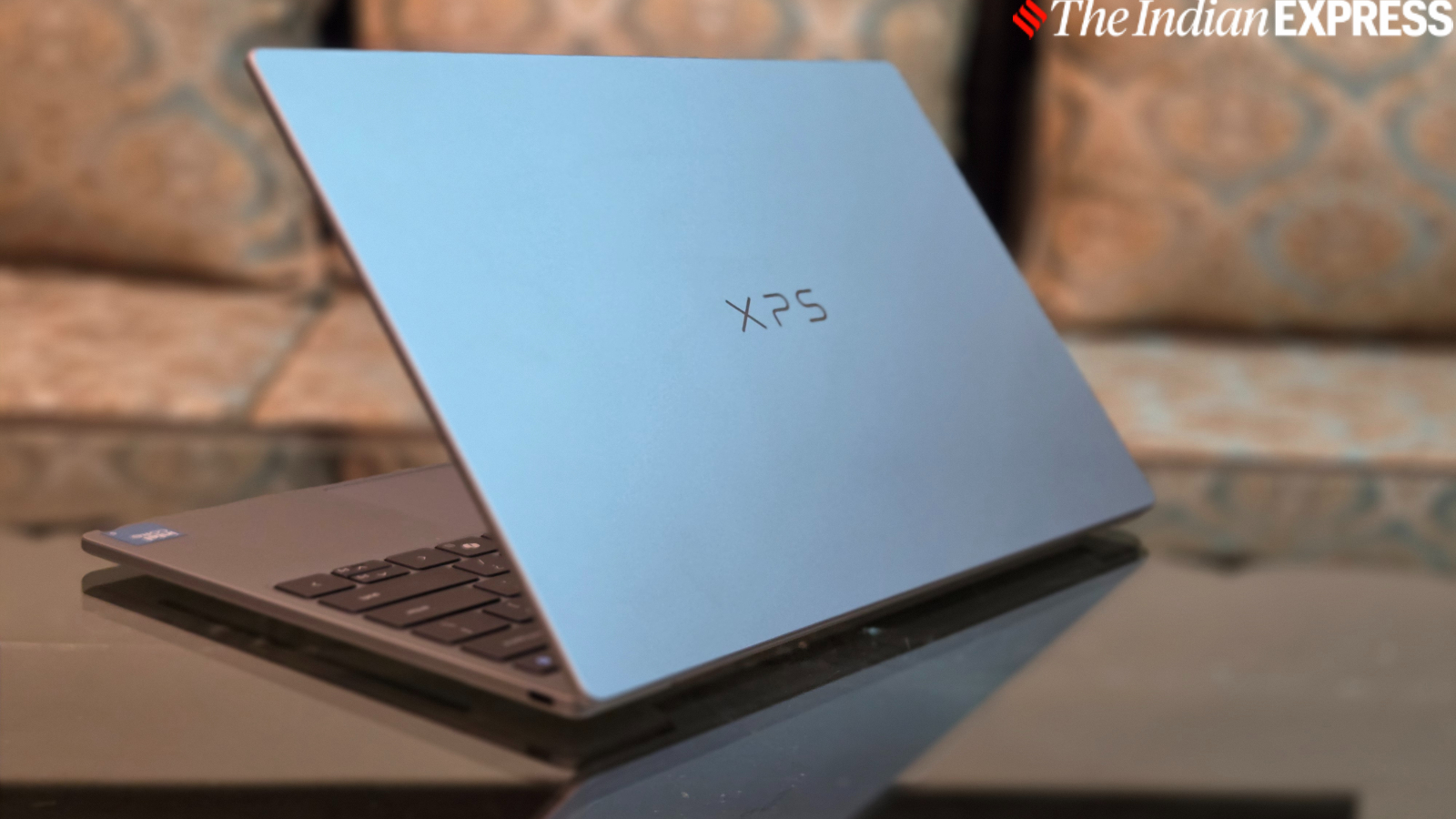 The Dell XPS 13 features a thin, lightweight, and compact all-metal design. (Image credit: Anuj Bhatia/Indian Express)
Higher-resolution touchscreen display
For me, the XPS 13 beats the MacBook Neo when it comes to the display. While the Neo’s 13-inch LCD panel is perfectly usable and can reach up to 509 nits, which is more than adequate for everyday use, the XPS 13 has a noticeably better display, measuring 13.4 inches with a resolution of 2,560 x 1,600 pixels.
Story continues below this ad
For starters, it supports touchscreen functionality, which the Neo lacks. Secondly, the XPS 13 offers a refresh rate of up to 120Hz, with the ability to scale down to 30Hz thanks to its variable refresh rate technology. That’s an advantage over the MacBook Neo’s standard 60Hz display. The variable refresh rate helps conserve battery when watching content, but the XPS 13’s limited graphics performance means you are unlikely to benefit much from its 120Hz display while gaming.
The XPS 13 also offers better Adobe RGB and P3 colour coverage, making it one of the best IPS displays I have tested on a laptop, with sharpness comparable to the MacBook Neo.
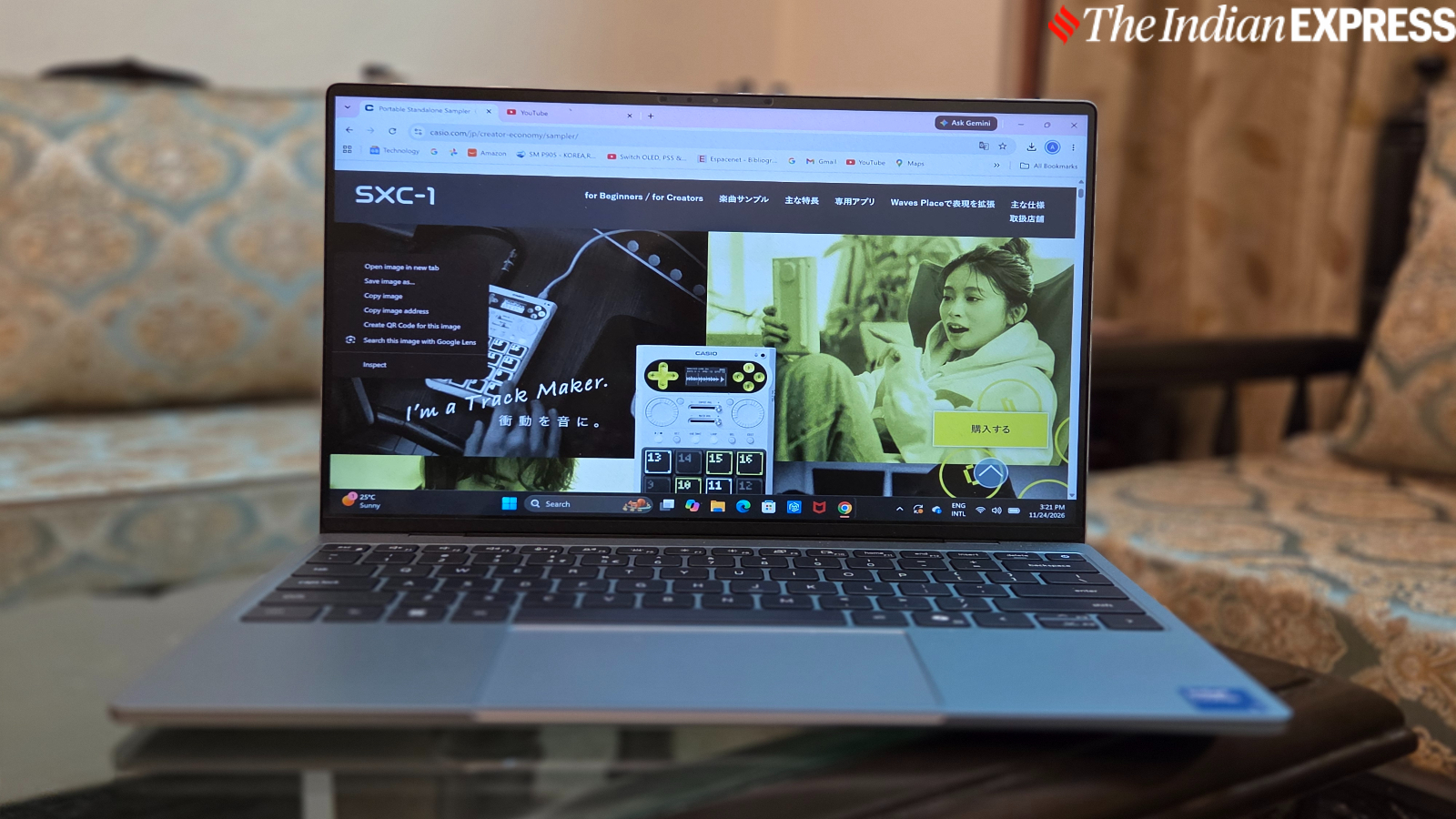 The 8GB of memory comes as part of the low-end variant. (Image credit: Anuj Bhatia/Indian Express)
Both notebooks have excellent keyboards, although the Neo lacks backlighting. The XPS 13 features a traditional backlit chiclet keyboard that offers a clicky, bouncy typing experience. In fact, I wrote this entire review on the XPS 13 and never encountered any issues while typing.
The trackpad, located below the keyboard, is a little iffy, though. While serviceable, it doesn’t register clicks as smoothly as it should.
Story continues below this ad
From a portability perspective, the XPS 13 is a clear winner over the MacBook Neo. That being said, it lacks enough I/O ports. You get just two USB-C ports, one on each side. Both support Power Delivery and DisplayPort 2.1 for connecting external monitors.
However, the absence of Thunderbolt 4 means you miss out on higher power delivery and faster data transfer speeds. In comparison, one of the USB-C ports on the MacBook Neo is an outdated USB 2 port. Not only is it slow for file transfers, but it also cannot natively output to an external display.
The XPS 13 lacks a headphone jack, while the MacBook Neo does include one. Personally, it’s not a big deal for me.
The MacBook Neo stands out when it comes to audio quality. The Dell XPS 13, on the other hand, features a quad-speaker setup comprising two 2W main speakers and two 2W tweeters. The speakers fire diagonally through two openings at the bottom of the chassis. The XPS 13’s speakers are fine, but I liked Neo’s audio quality.
Story continues below this ad
Both notebooks feature 1080p webcams, although the MacBook Neo offers slightly better image processing. The XPS 13, however, has an IR camera for password-free Windows Hello login, while the base MacBook Neo lacks Touch ID (at least on the base version).
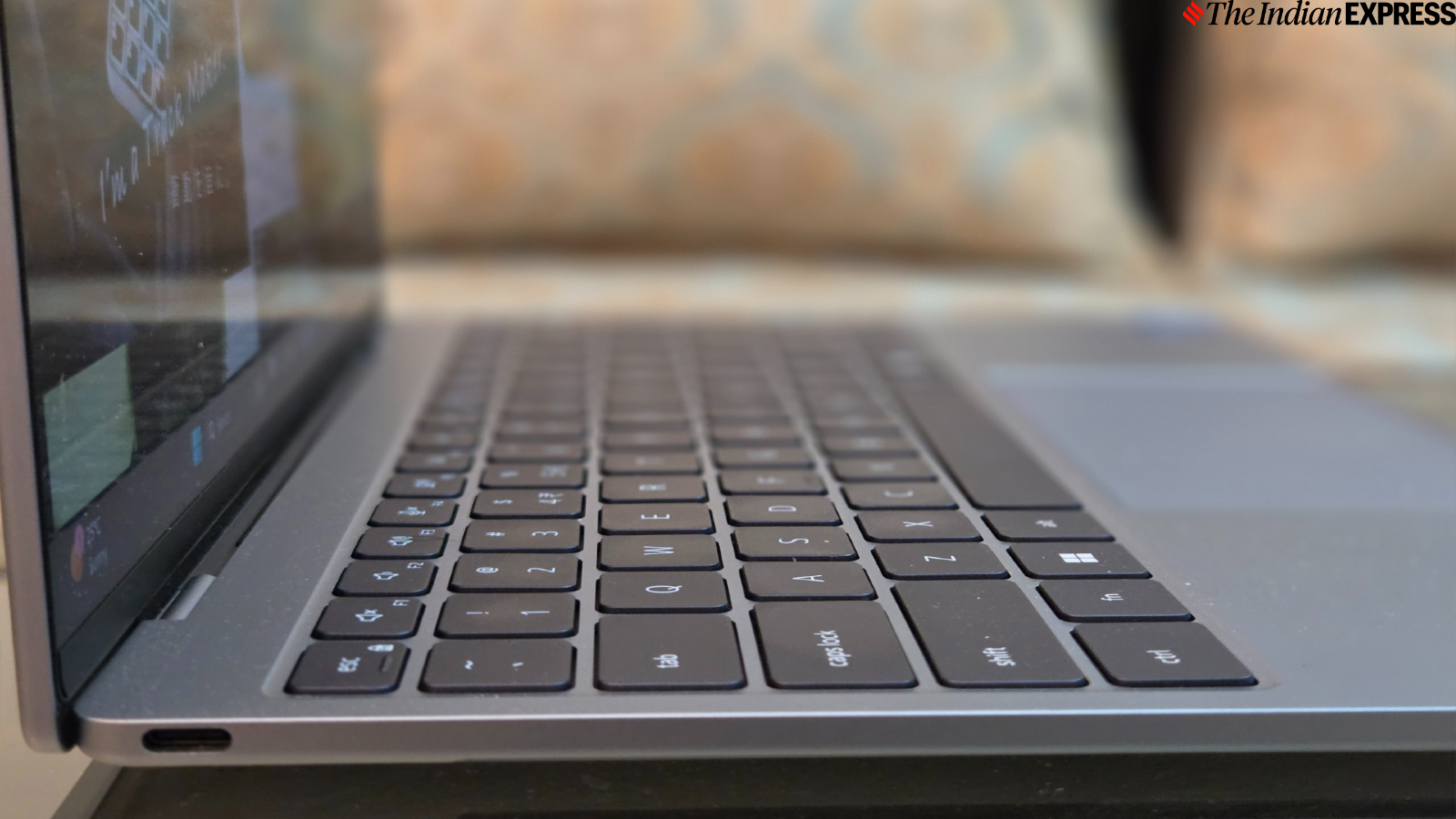 The XPS 13 features a backlit keyboard. (Image credit: Anuj Bhatia/Indian Express)
Powerful enough for basic tasks
Dell never claimed the entry-level XPS 13 would deliver performance comparable to high-end notebooks, and I had a fair idea of what to expect from the machine. The same holds for the MacBook Neo, which uses an iPhone chip (the A18 Pro). Both come with 8GB of RAM as standard, while the Dell XPS 13 is powered by an Intel Core 5 320, a mid-tier processor from Intel’s Core Series 3 ‘Wildcat Lake’ lineup. Basically, the Core 5 320 is a six-core processor with two performance cores and four efficient cores.
For this review, Dell loaned me the model with 8GB of RAM and 512GB of SSD storage, although a 16GB RAM variant is also available, but it is priced on the higher side.
My biggest concern before reviewing the XPS 13 was whether it could deliver reasonable performance with just 8GB of RAM, given how memory-intensive Windows 11 can be. After using the XPS 13 extensively, I can say with confidence that 8GB of RAM is limiting, and you will hit the memory ceiling sooner than expected.
Story continues below this ad
To test this, I played a YouTube video while keeping six to seven Google Chrome tabs open. The notebook doesn’t freeze, but you do get close to hitting 100 per cent memory utilisation. That was my experience with the 8GB model I tested.
I can’t say how the 16GB variant would perform under the same testing conditions, but I expect it to offer a smoother experience. That said, you wouldn’t necessarily be making a mistake by opting for the base 8GB model. Naturally, 16GB of RAM would allow apps to open and close more quickly, with less stuttering and lag.
For basic tasks and less demanding workloads, 8GB of RAM is perfectly fine, but you need to keep your expectations in check. If you are upgrading from an older system, the XPS 13 should serve you well.
Despite its efficient Intel Core 5 processor, the XPS 13 uses dual cooling fans, unlike the fanless MacBook Neo. However, the fans are remarkably quiet, and I rarely noticed them during everyday use.
Story continues below this ad
Let me add, the XPS 13 isn’t designed for demanding graphics work, heavy rendering or anything beyond light video editing. The notebook is also not designed for gaming.
The XPS 13 offers excellent battery life, enough to get you through a full day of classes or work. I am seeing significant improvements in battery life compared to older entry-level laptops, which rarely lasted more than four hours on a single charge.
 The Dell XPS 13 weighs around 1 kg, which is lighter than that of the MacBook Neo. (Image credit: Anuj Bhatia/Indian Express)
So, should you buy the Dell XPS 13?
The Dell XPS 13 is a refreshing take on entry-level notebooks. Sure, it isn’t perfect and has its own strengths and weaknesses, like any other laptop. However, the XPS 13 is a step in the right direction at a time when laptops have become increasingly unaffordable due to the ongoing memory crisis.
I know many of you must be wondering whether to buy the Apple MacBook Neo or the XPS 13. Well, I would say the XPS 13 has a better display, a backlit keyboard, and two USB-C ports, one on each side, that support charging and external 4K monitors. It’s also more portable and feels just as premium as the MacBook Neo.
Story continues below this ad
The 8GB of RAM is a limitation, but at least Dell gives you the option of choosing a 16GB model. Ultimately, the biggest differentiator is the operating system, which makes choosing between the Neo and the XPS 13. If you prefer macOS, get the MacBook Neo. If you are familiar with Windows, the XPS 13 is the one for you.
(function(){var l=!1;function f(){if(l||window.fbq)return;l=!0;!function(n,t,e,f,o,c,i){if(n.fbq)return;o=n.fbq=function(){o.callMethod?o.callMethod.apply(o,arguments):o.queue.push(arguments)};n._fbq||(n._fbq=o);o.push=o;o.loaded=!0;o.version=”2.0″;o.queue=[];c=t.createElement(e);c.async=!0;c.src=f;i=t.getElementsByTagName(e)[0];i.parentNode.insertBefore(c,i)}(window,document,”script”,”https://connect.facebook.net/en_US/fbevents.js”);fbq(“init”,”444470064056909″);fbq(“set”,”autoConfig”,!1,”444470064056909″);setTimeout(function(){fbq(“track”,”PageView”)},500)}”requestIdleCallback”in window?requestIdleCallback(f,{timeout:3000}):setTimeout(f,2500)})();